Understanding Network Devices

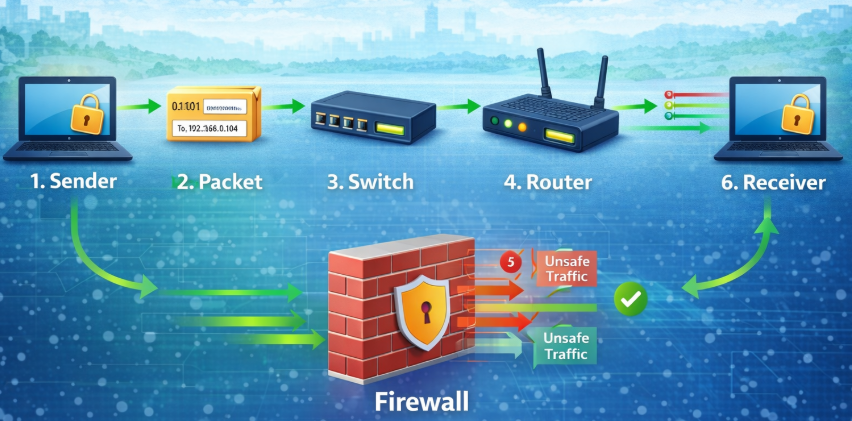
How Data Travels in a Network
Imagine you want to send a letter to a friend. The letter travels from your house to the post office, then through roads and sorting centers, and finally reaches your friend's house. Computer networks work in a similar way means your device sends data that travels through many devices before reaching its destination.
Computer networks work in a similar way:
Your device sends data that travels through many devices before reaching its destination.
Common Types of Network Devices
There are many network devices available, but we will focus on the most commonly used ones:
- Modem
- Router
- Switch
- Hub
- Firewall
Modem
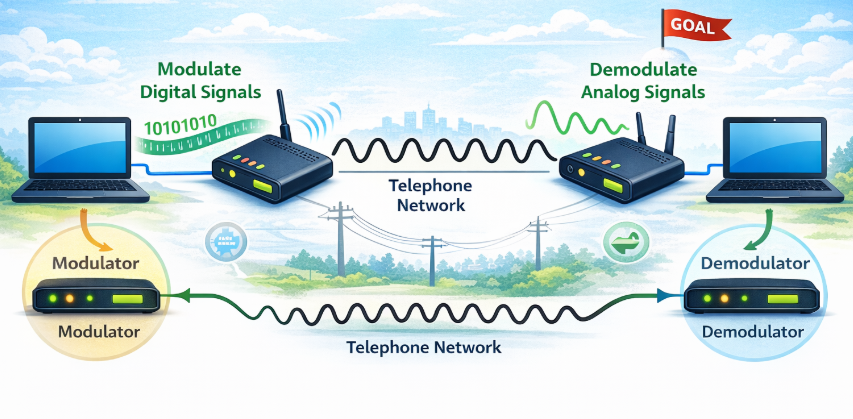
A modem (Modulator–Demodulator) connects your home or office network to your Internet Service Provider (ISP). A modem converts signals between your Internet Service Provider line and your digital devices.The working of a modem is simple that it converts digital signals from our devices into a form suitable for transmission over the ISP’s physical medium and converts incoming signals back into digital form.
Why is it needed?
- ISP sends internet signals in a special format
- Your computer understands only digital data
- Modem translates between these two
Real-life Analogy
Modem is like a language translator between you and the internet company.
What is a Router?
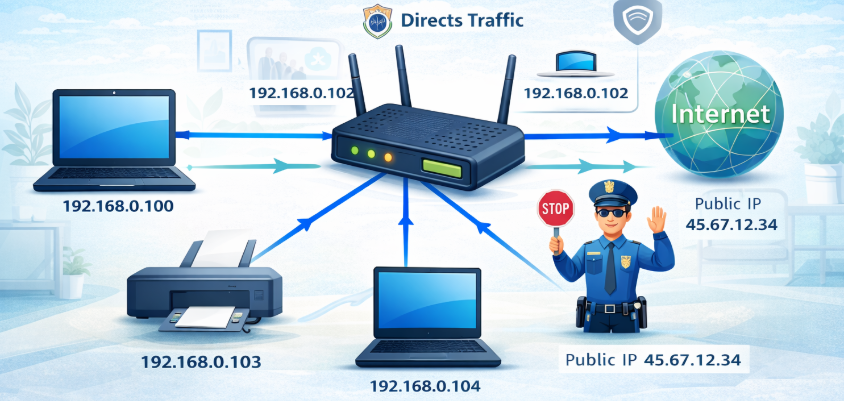
A router connects multiple devices and decides where data should go.
What Router Does
- Assigns local IP addresses to devices
- Sends data to the correct device
- Connects your network to the modem
Real-life Analogy
Router is like a traffic police officer at a junction.
- Car (data) arrives
- Police checks address
- Sends it on correct road
Hub
Hub sends data to everyone.
How Hub Works
- One device sends data
- Hub broadcasts to all ports
- Only correct device accepts
Real-life Analogy
It is like a loudspeaker in a classroom that's everyone hears.
Problems
- Slow
- Wastes bandwidth
- No security
Switch
Switch sends data only to the target device.
How Switch Works
- Learns MAC addresses
- Stores them in a table
- Sends data only to matched port
Analogy
Like a telephone operator connecting your call only to the person you dial.
What is a Firewall?
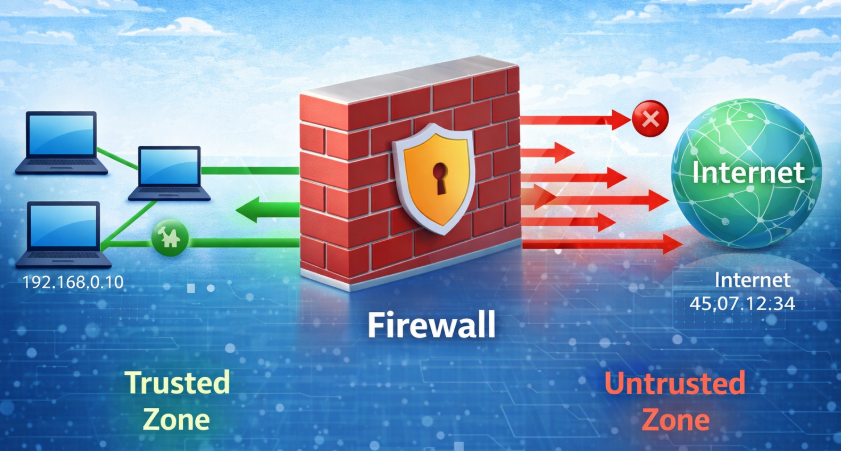
Firewall protects your network from dangerous traffic.
What Firewall Does
- Checks every incoming & outgoing packet
- Allows safe traffic
- Blocks suspicious traffic